
Features
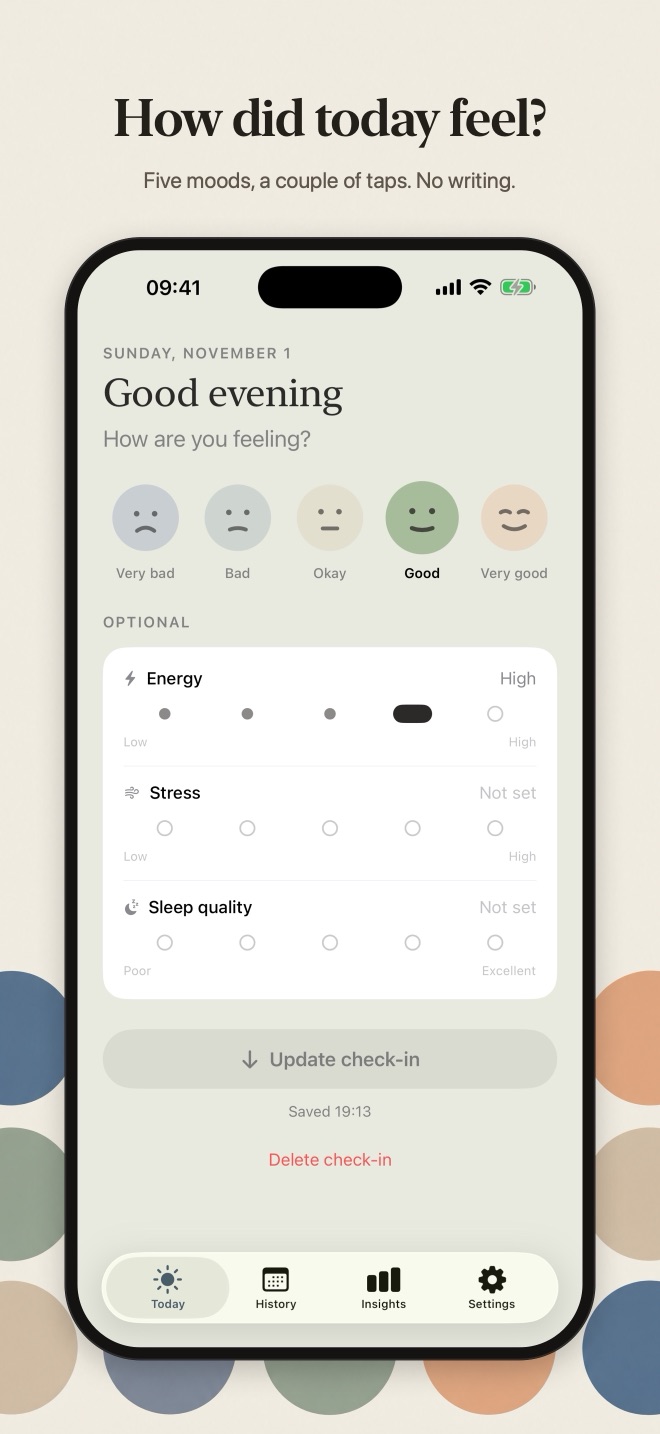
A Dot a Day is a no-writing mood check-in. Tap how you feel, and each day becomes one colored dot.
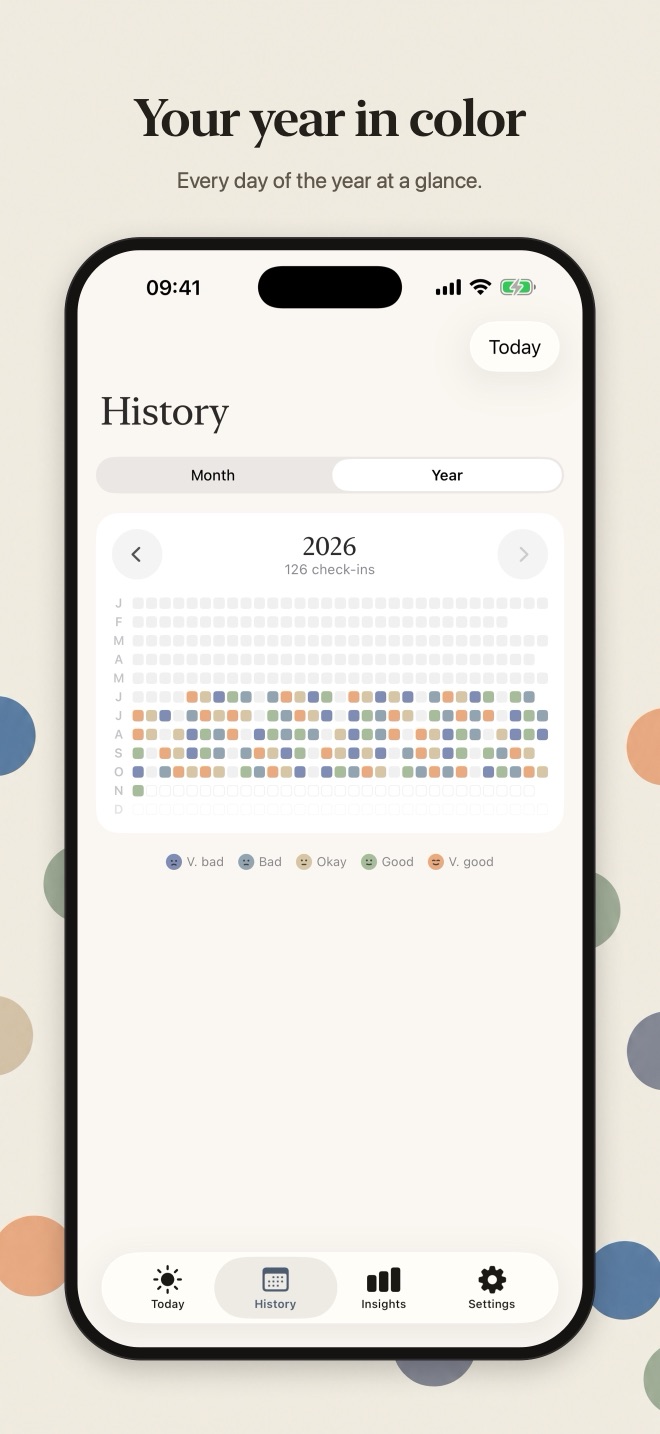
Eight weeks, one dot a day (example).
Check in in seconds
- Five moods, from very bad to very good, drawn as gentle faces
- Optional energy, stress and sleep quality on simple scales; skip any of them
- One check-in per day: checking in again updates today instead of adding a duplicate
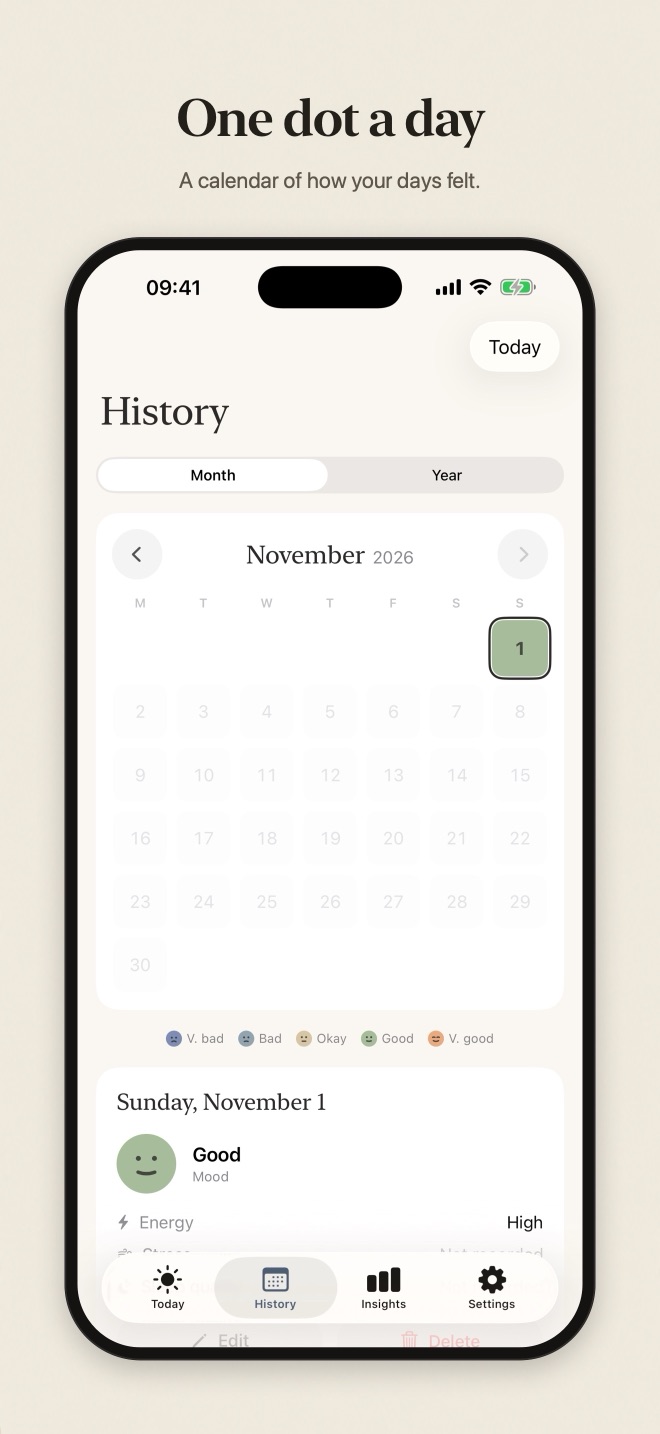
See your days
- A month calendar filled with your mood colors; tap a day to see or edit it
- A year view shows every day of the year as a small square
- Add a check-in for a past day you missed, or delete one
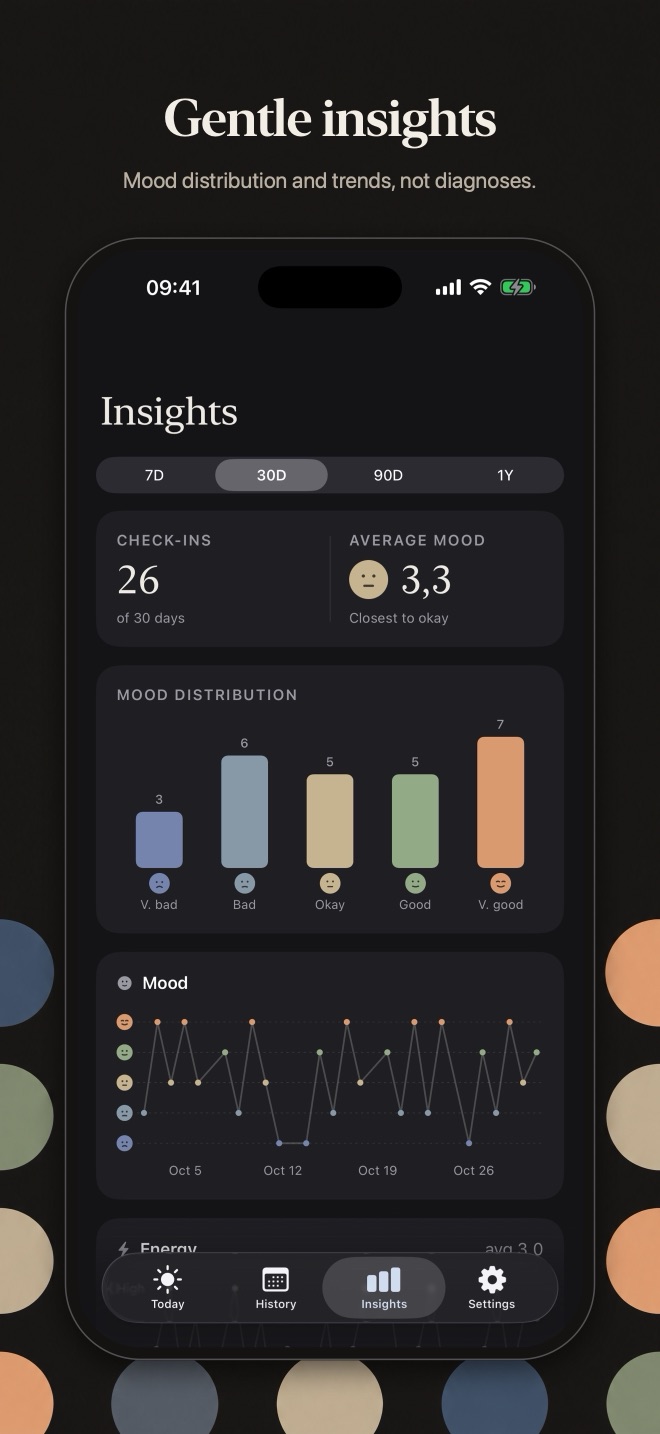
Gentle insights
- Mood distribution and average mood for the last 7, 30 or 90 days or the past year
- Trends for energy, stress and sleep once there's enough data
- Missing values are left out, never counted as zero
Private by design
- Stored only on your iPhone. No account, no ads, no tracking, no journaling
- Optional Face ID lock keeps your check-ins blurred until you unlock the app
- Choose which optional measures you track
A Dot a Day is a personal record, not a medical or diagnostic tool, and it doesn't draw conclusions about causes. Light and dark mode, Dynamic Type and VoiceOver support.
Support
Help & contact
- Do I need an account?
- No. There is no sign-in and no account. Open the app and start.
- Where is my data stored?
- Only on your iPhone. A Dot a Day has no servers, no cloud sync and no analytics, so nothing you enter is sent to us or anyone else.
- How does the Face ID lock work?
- Turn it on in Settings → Privacy. A Dot a Day then stays blurred until you unlock it with Face ID (or your passcode), and locks again when you leave the app. Face ID is handled by iOS; the app never sees your face data.
- Does it cost anything?
- No. The app is free, with no ads, subscriptions or in-app purchases.
- What happens if I delete the app?
- Deleting the app deletes its data from your iPhone. If your iPhone is backed up to iCloud or a computer, that backup may still contain the app's data, as with any app.
Need help?
Questions, bug reports or ideas: email info@saltenis.dev and include your iPhone model and iOS version if something isn't working.
We usually reply within a few working days.